Your price per night and weekend price
The one price every night starts from, the weekend price, and the order in which prices apply.
Where prices live
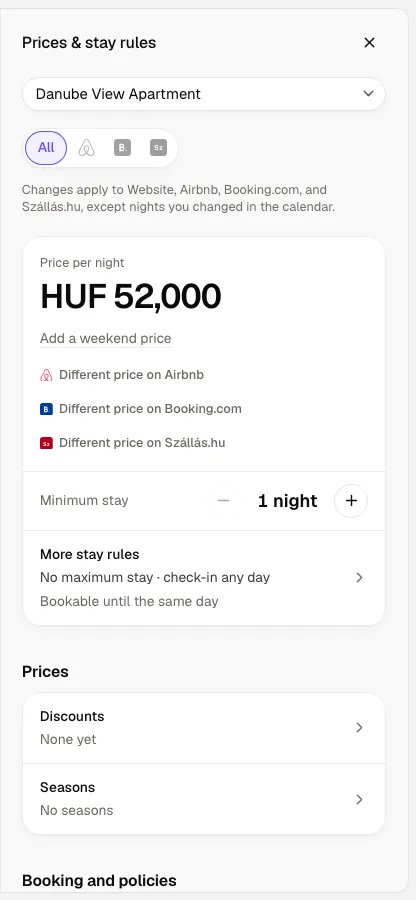
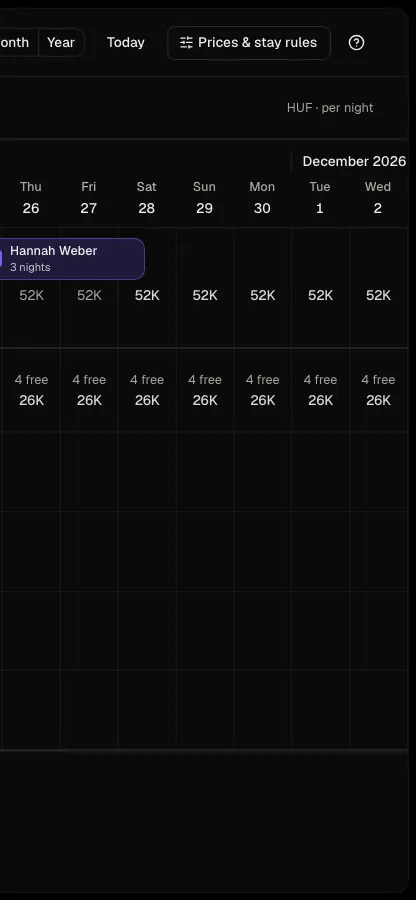
Prices and stay rules are in the Calendar. Press Prices & stay rules in the calendar bar for the settings of one listing (choose the listing at the top of the panel); pick nights in the calendar to change only those nights.
Set the price per night
- 1Open Calendar, then Prices & stay rules.
- 2Tap the big number under Price per night, type your price and press Save.
- 3Tap Add a weekend price for Friday and Saturday nights. Leave it empty to use the price per night.
Nights with their own price or a season keep theirs. The line under the platform switch says so: “Changes apply to Website, Airbnb, Booking.com and Szállás.hu, except nights you changed in the calendar.”
What else the panel holds
| Row | Where it leads |
|---|---|
| Different price on … | That platform’s own price, one link per platform. |
| Minimum stay | Change it with − and + in the row. |
| More stay rules | Stay rules |
| Discounts | Discounts and fees |
| Seasons | Seasons |
| Cancellation | The cancellation policy (also in Listings) |
| Check-in and check-out | The check-in times. |
| Instant booking | Who can book at once, per platform. |
| More settings | Fees, guests, options and limits: Limits and rounding |
| Compare platforms | Every setting side by side for each platform. |
Which price a night gets
From the most specific to the least:
- 1A price you set for that night in the calendar.
- 2A season that covers the night (the highest in the list wins).
- 3The weekend price, on Friday and Saturday nights.
- 4The price per night.
Then discounts, a platform’s price difference and rounding apply. Why this night? in the calendar shows the result for any night.
Each platform’s tab
Under the listing picker, the switch has All and one mark per platform. All holds the values every platform and your website get. A platform’s tab shows, row by row, whether it follows them (Same as all platforms) or has its own, and how each value reaches it. A platform without values of its own is greyed in the switch.
Next: Seasons · Stay rules