The bookings list and a booking’s page
Find a booking, read its money, guests and messages, and see what the guest still owes.
Find a booking
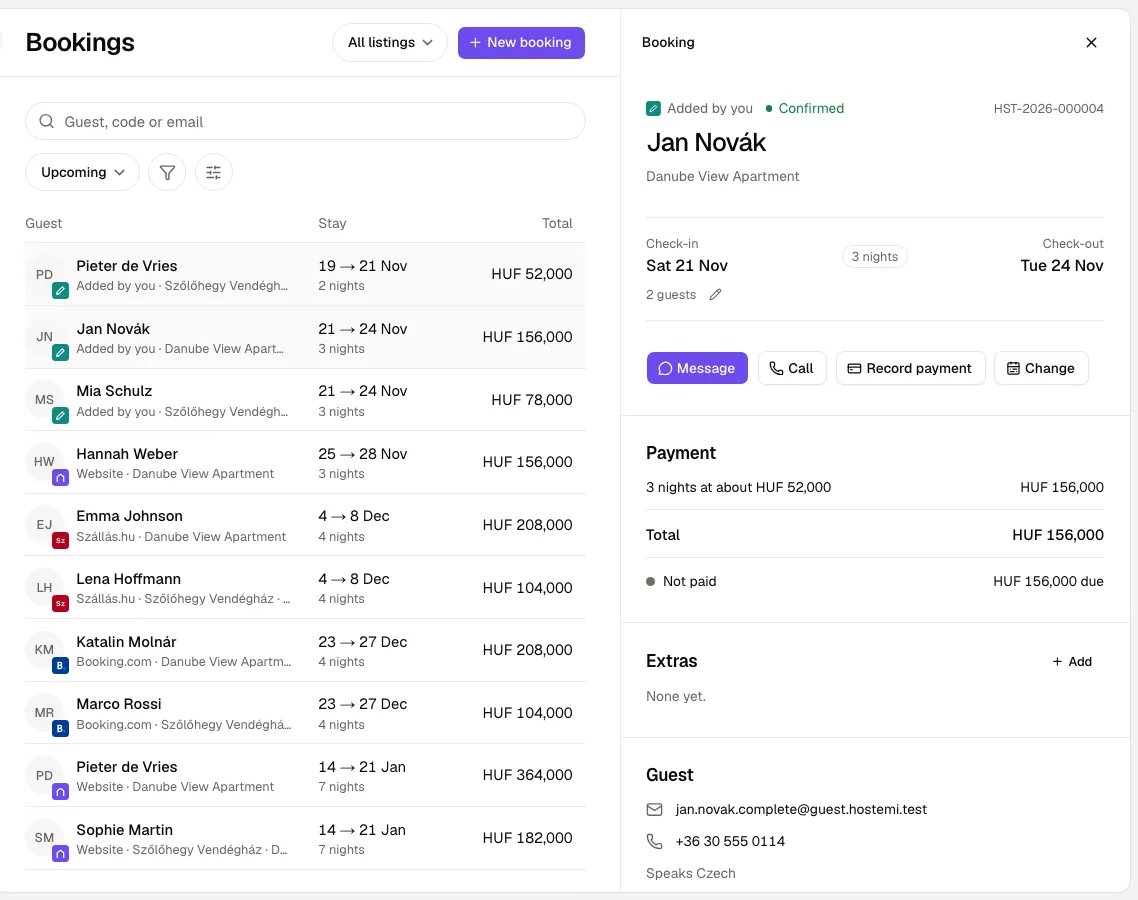
Open Bookings. Above the list: All listings (or one listing), New booking, a search box for guest, booking code or e-mail, and Show: Upcoming, Staying, Past, Cancelled or All bookings. The funnel filters by platform; More filters sits beside it.
Each row shows the guest, where the booking came from (Added by you, Website, the platform) with its booking code, the stay and the total. A booking request reads Booking request, answer it.
A booking’s page
Click a booking. On a computer it opens beside the list; on a phone, as its own page.
- At the top: where it came from, the status (Confirmed), the booking code, the guest and the listing; check-in, check-out, nights and guests.
- Buttons: Message, Call, Record payment, Change (new dates).
- Payment: nights and average price, cleaning and extras, taxes, the platform’s commission and your payout where there is one, the total and what is still due.
- Extras with Add, Guest (contact details, the language they speak, a note about the guest), Messages (the scheduled messages of this stay, each with Skip and Send now), Notes and History.
- Manage booking at the bottom: Cancel booking and Erase guest’s personal data.
Paid through the platform
For a platform booking the guest usually pays the platform: the booking says Paid through … and shows the commission and your payout. For a booking you added, record what you received with Record payment.
Next: Add a booking · Statuses and payments