What stays in step, and how fast
Prices, free nights, stay rules and bookings: what goes to each platform, what comes back, and how double bookings are prevented.
What goes to the platform
- Your prices for every night, including weekend prices, seasons and nights you priced by hand.
- Which nights are free, and how many rooms.
- Closed nights and stay rules: minimum and maximum stay, check-in and check-out days, and the others the platform takes.
- Bookings made anywhere else, as closed nights.
Hostemi sends the next 500 days. A platform without a setting gets what it can: the Compare tab on its page shows, setting by setting, whether it is the same everywhere (“All 11 settings are the same everywhere”) and how each one reaches the platform.
What comes back
- New bookings, changes and cancellations.
- Booking requests and guest messages, where the platform has them.
- Reviews, where the platform has them.
How fast
A change is sent once you stop editing for a moment, usually within a minute and at most about a minute and a half later. A night that sells out goes at once. While a change is on its way, the calendar marks the night Sending.
The platform’s page says when it was last updated (Updated 8 minutes ago). Recent activity on its Overview and the History tab list what was sent and what came back, with filters such as Prices and availability, Bookings and Problems.
How double bookings are prevented
Every listing has one calendar. When a booking comes in from one platform, its nights close on every other platform and on your website at once. A night with no room left is sent without waiting.
A booking can still overlap another one if two guests book the last room on two platforms within moments, or if a platform could not be updated. Hostemi never refuses a booking a platform has already confirmed: it takes it in and marks the night Overbooked. See Two bookings on one night.
A price per platform
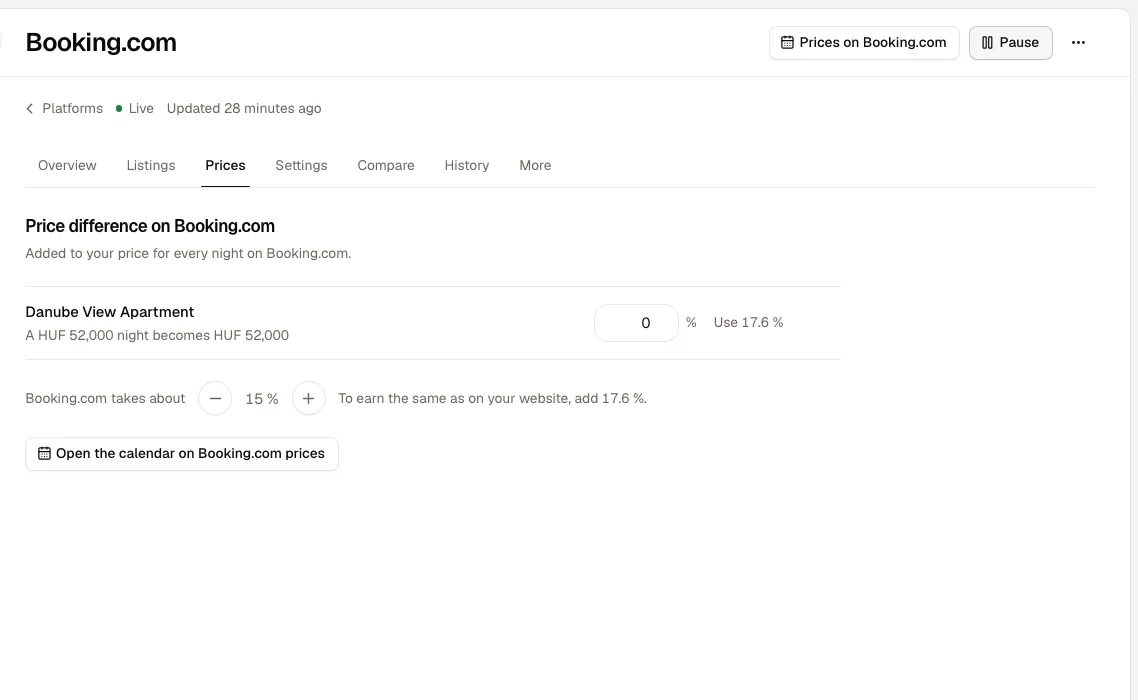
Open the platform’s page and its Prices tab (or Prices beside it on Platforms). Price difference on … is a percentage added to your price for every night on that platform. The tab shows an example night, what the platform takes as commission (“Booking.com takes about 15 %”) and the difference that earns you the same as on your website, with a button to use it. Open the calendar on … prices shows the result night by night.
Currencies
The Settings tab of a platform shows Currency on … and the platform’s property ID. If a platform sells in another currency than your listing, the platform converts your prices at its own exchange rate, and the page says so.